Four steps from Excel back to Maximo
The MX Stage workbench puts a staging sheet between Maximo and your AI assistant. The AI only edits the sheet; a person writes to Maximo.
See it in three minutes
The work orders were bulk-loaded with MXLoader, but the failure codes and small repairs stayed in the contractor's repair log. On the built-in demo, MX Stage closes that gap: drop in the log, ask the AI, check the diff, commit, then reload and compare.
Put the Excel next to the Maximo records
Import the Excel into the work screen and load the records to match from Maximo (for example, this year's corrective work orders at the North plant). Daily reports printed as one form per day are read back into a table first. You agree on the range while looking at the counts.
- YouImport the repair log (North, FY2026 H1) and, for May, close the gap with the work orders in Maximo. Add failure codes to completed corrective work orders that have none, and create work orders for repairs that are missing from Maximo. List anything you cannot decide.
| A | B | C | D | E | F | |
|---|---|---|---|---|---|---|
| 3 | Date | Line | Equipment | Issue | Action | Time |
| 7 | 2026-05-04 | L1 | Burnout Grate | Increased siftings | Age deterioration - repair | half day |
| 8 | (merged) | L1 | Hydraulic Pump A | dead | Operating error - reset / restart | 11.5 hrs |
| 9 | (merged) | L1 | Caustic Soda Dosing Pump B | start failure | Electrical component failure - parts replacement | 22h |
Read each row, link it, and fill in clean values
Without work order numbers, rows are linked by equipment nicknames and dates, only when they point to exactly one work order, and failure codes are chosen from the text. A repair that is only in the log becomes a new work order with a status that fits its dates. Dates and merged cells are put into Maximo's format and staged on the sheet, each with a reason.
Changes on the sheet never reach Maximo. Rows that cannot be decided, or that disagree, come back as a list, unchanged.
- Source
- Repair log, May 2026 row 24 (May 11): "Hot Water Circulation Pump B, gland weeping, retightened gland"
- Actual
- 2026-05-11The date of the log row
- Status
- COMPThe work is finished, so completed
Check the diff and keep an Excel record
Only changed cells are coloured; hover one to see the old value, the author and the reason. Before committing, save a diff report (Excel).
One row per changed cell: old value, new value, who changed it (AI or person), reason and time. Keep it as your record of what was approved. Download the report from the demo (fictional data).
| A | B | C | D | E | |
|---|---|---|---|---|---|
| 1 | Work order | Column | Before | After | Reason |
| 2 | 148753 | Failure class | (empty) | PUMP | Repair log, May 2026 row 9 (matched by equipment and date) |
| 3 | 148753 | Problem | (empty) | NOSTART | "start failure" |
| 4 | 148753 | Cause | (empty) | ELECFAIL | "Electrical component failure" |
| 5 | 148753 | Remedy | (empty) | REPLACE | "parts replacement" |
| 6 | (added) | Description | Hot Water Circulation Pump B Leak | Repair log, May 2026 row 24 (a repair missing from Maximo) |
Check the first record, then send the rest
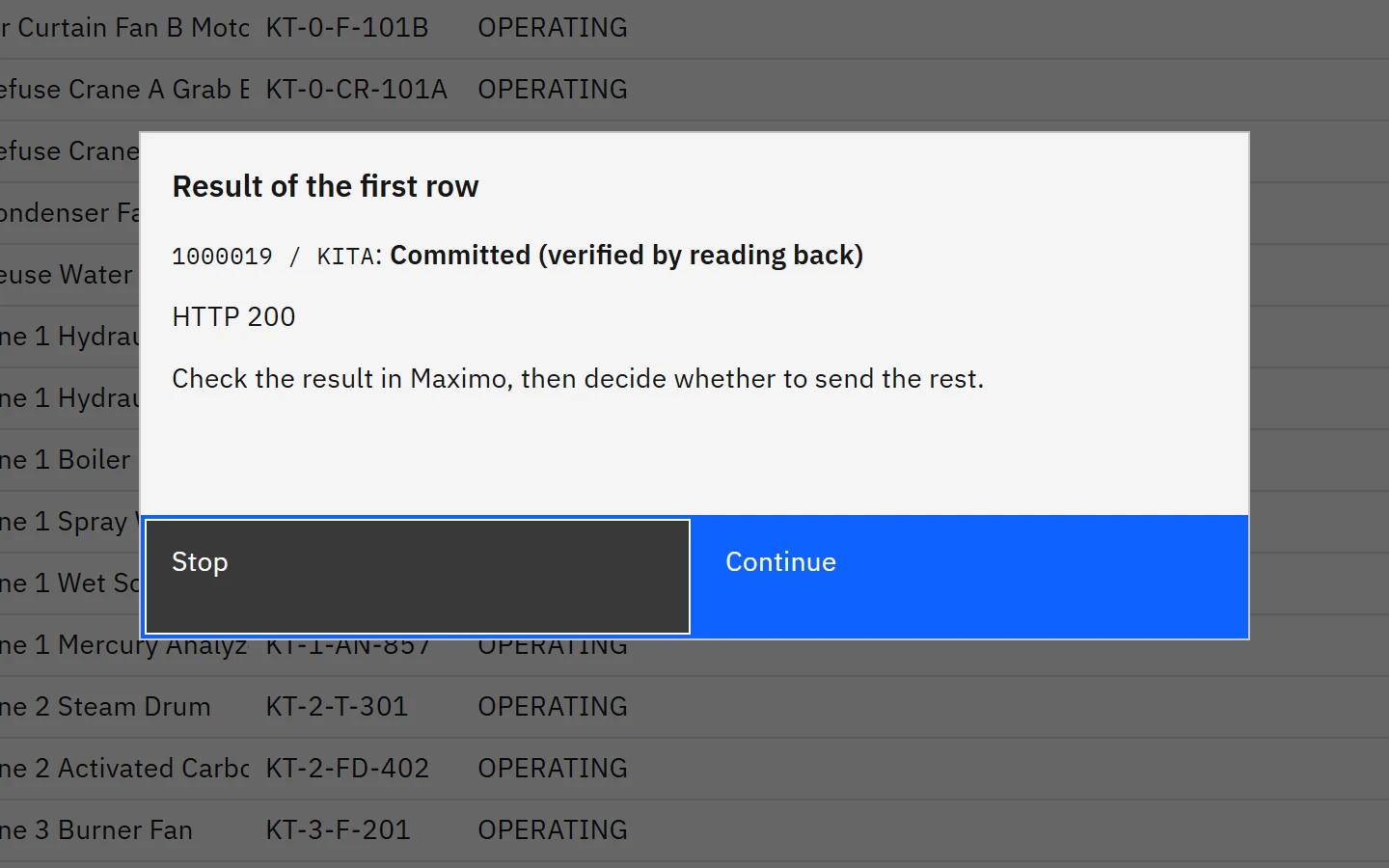
Only a person can press Commit to Maximo. MX Stage writes the first record, reads it back, and sends the rest only after a person has seen the result.
Records someone else changed after loading are skipped and listed; it stops on an error or a result it cannot confirm. Nothing is retried automatically.
Works with the AI assistant you already use
MX Stage is a workbench that runs on a Windows PC and connects to the AI assistant your company already approved: Claude Desktop, ChatGPT desktop or IBM Bob. It is free for test environments, and without a Maximo you can try it on the built-in demo (three fictional waste incineration plants).
Tell us about the gap between your Excel and Maximo.
A 30-minute online call. See it work on your test environment or on our demo data.