Tuning — partner company
Tune Skills
Tune the Skills and settings to each customer's issues, and deliver them as your service. Free on test environments.
The built-in demo on a virtual Maximo. Captions, no sound. 3 min 17 s.
Excel records that never made it into Maximo during migration, shaped for Maximo
A person decides what gets written
Claude Desktop, ChatGPT desktop, Antigravity, IBM Bob: just ask the AI environment your company already uses to install it. One install registers MX Stage with every environment on the PC.
Install MX Stage from https://github.com/mxstage/mxstage
Just drag the Excel file, report forms and all, into the work screen. The AI understands the structure of the form, and a processing program structures the data.
Watch it in the demo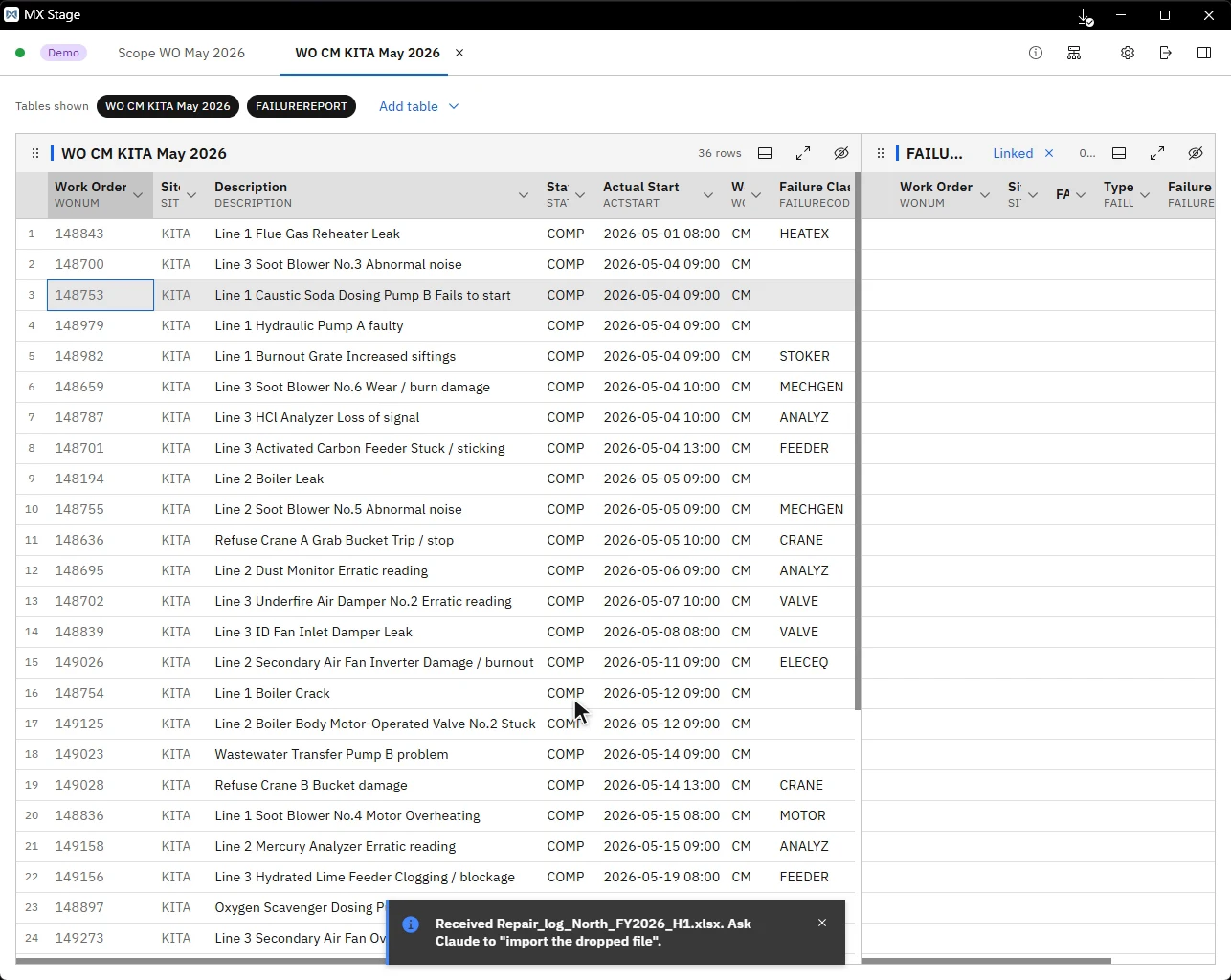
The AI picks the object structures and attributes to read, and loads them into the work screen through the Maximo API.
Watch it in the demo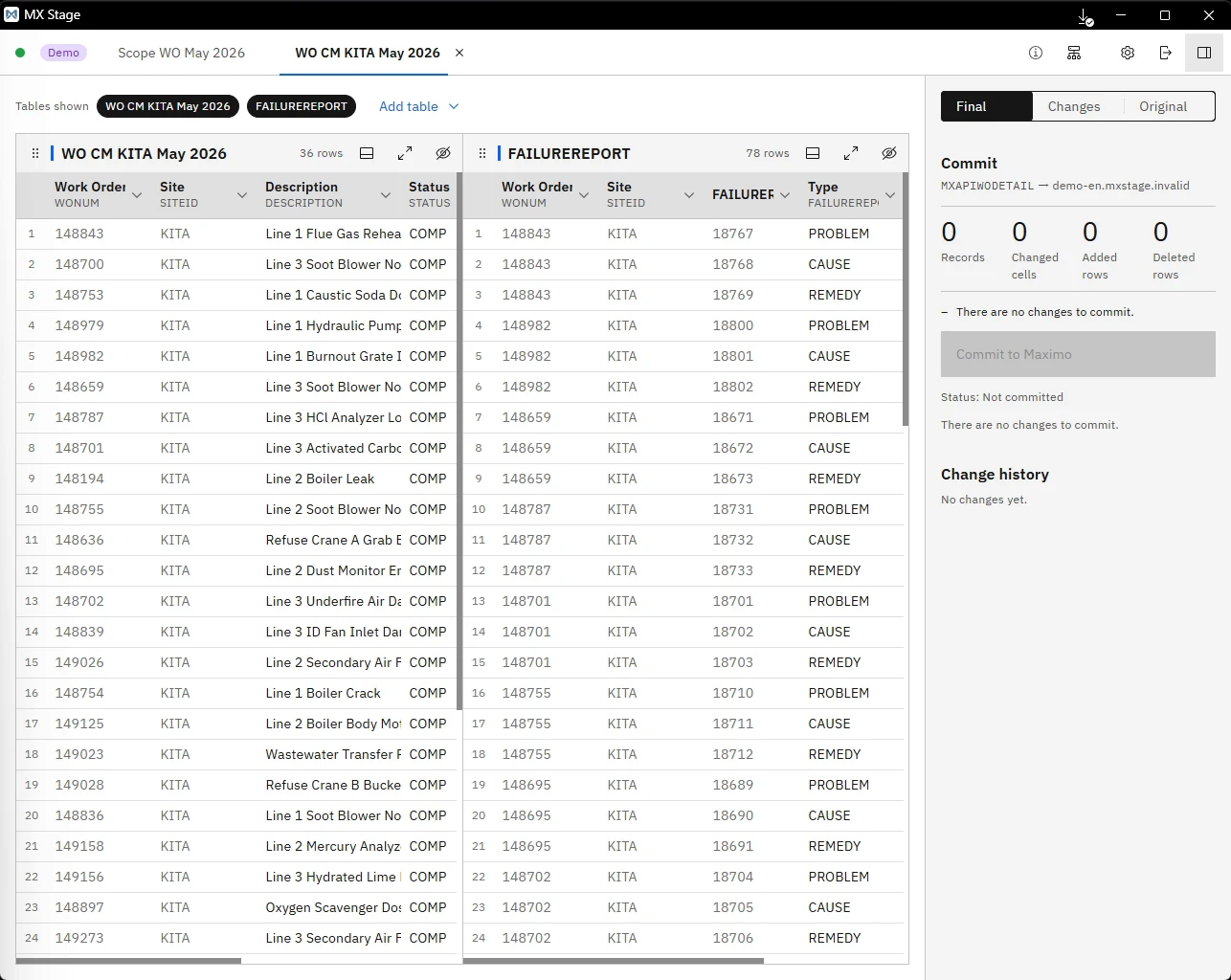
Records without work order numbers are linked to work orders by equipment and date. The AI sets the rules; a processing program does the matching and fills in the values.
Watch it in the demo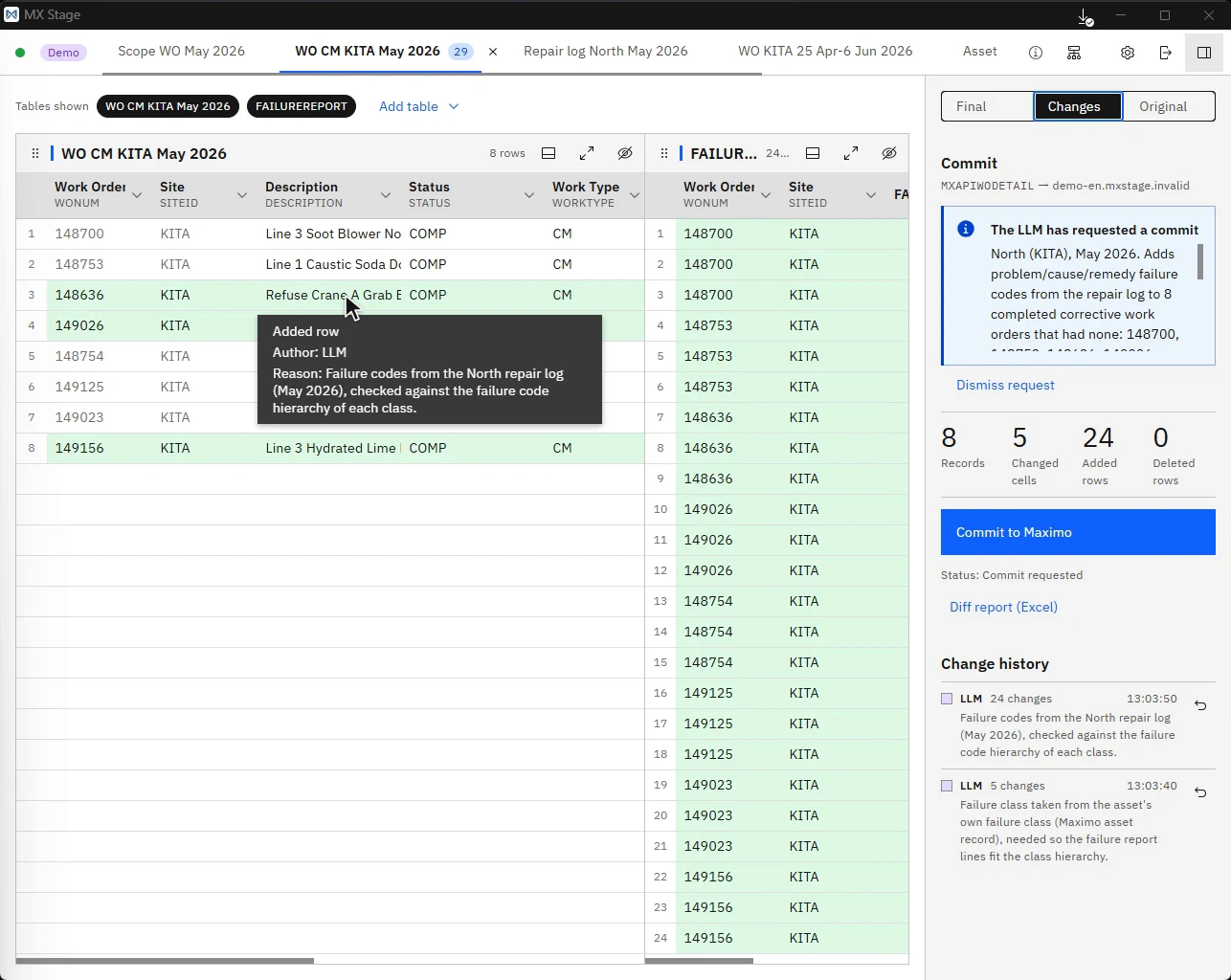
Only the changes are colored. Check the first record, then send the rest.
Watch it in the demo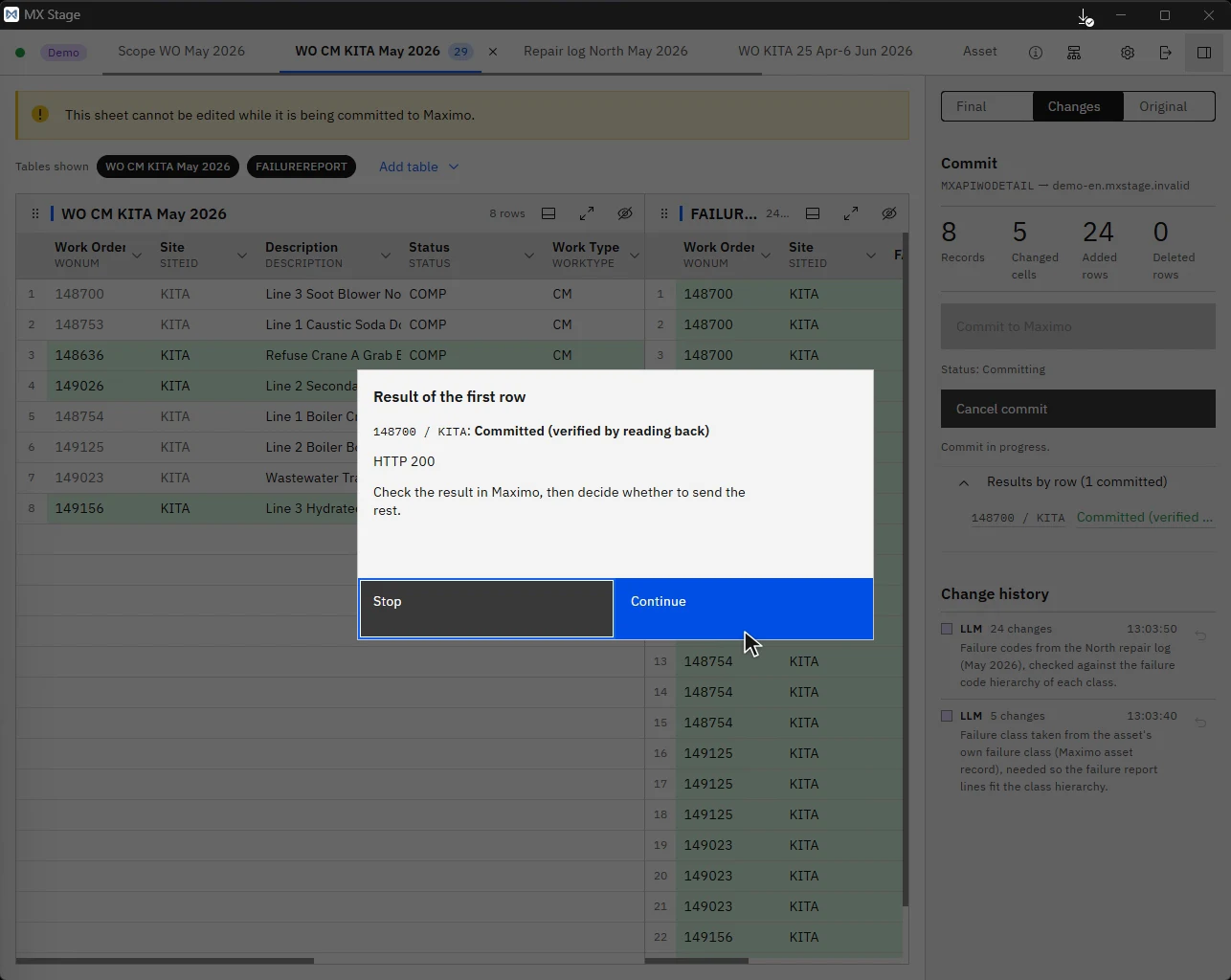
Old value, new value and reason, one row per cell in Excel. Keep the evidence of every data fix.
Download the report from the demo| A | B | C | D | E | |
|---|---|---|---|---|---|
| 1 | Work order | Column | Before | After | Reason |
| 2 | 148753 | Failure class | (empty) | PUMP | Repair log, May 2026 row 9 (equipment and date) |
| 3 | 148753 | Problem | (empty) | NOSTART | “start failure” |
| 4 | 148753 | Cause | (empty) | ELECFAIL | “Electrical component failure” |
| 5 | 148753 | Remedy | (empty) | REPLACE | “parts replacement” |
Tuning — partner company
Tune the Skills and settings to each customer's issues, and deliver them as your service. Free on test environments.
Advisory — TSUNAGI
From sorting out issues to building solutions, we advise from Maximo and plant maintenance experience. The advice flows back into the tool, and growth comes full circle.
MX Stage comes with a virtual Maximo (three waste incineration plants) and five sample Excel files. No Maximo needed: try it on your own PC.